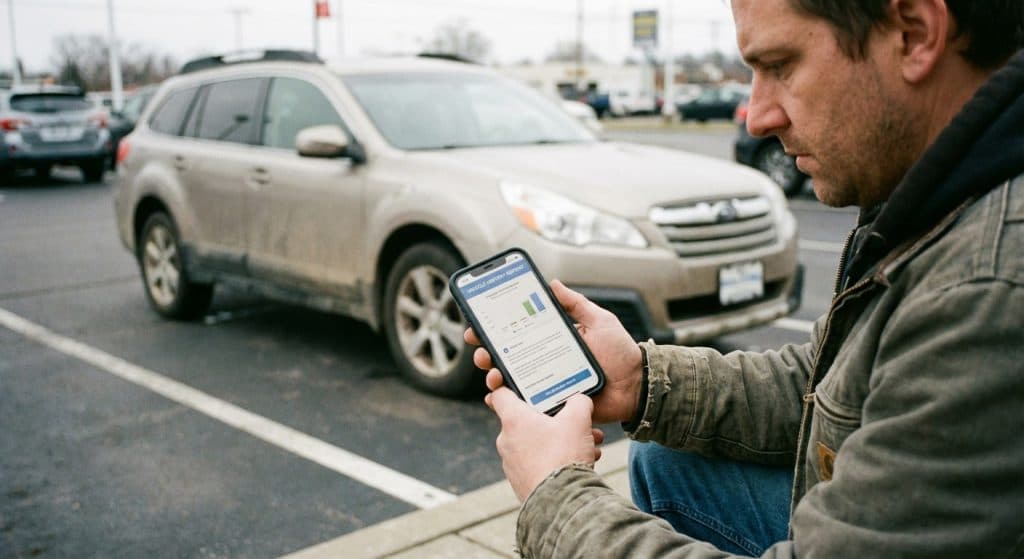
You found a used car that looks perfect on the outside. Great price, low miles, clean interior. But you have no idea what happened to it before it showed up on that lot. That’s exactly where a VIN check saves you from a very expensive mistake.
Your car’s vehicle identification number is a 17-character code that unlocks its entire history. Every accident report, title transfer, odometer reading, recall notice, and theft flag tied to that car gets recorded under that number. Knowing how to check car history with a VIN takes about five minutes, and it can save you thousands.
Always Check the History of a Car Before Buying It
Buying a used car without running a VIN check is like hiring someone without looking at their resume. The seller might be completely honest, but you still don’t know what you don’t know. A vehicle history report fills in those blanks before you hand over any money.
Here’s what can stay hidden without one: flood damage that looks fine after a detail job, a rolled-back odometer, an accident that was repaired just well enough to pass a quick visual inspection, or an open recall that was never fixed. None of that shows up just by looking at the car.
The good news? Checking is easy. You just need the VIN, which you’ll find on the driver’s side dashboard (visible through the windshield), on the driver’s door jamb sticker, or on the vehicle’s title and registration paperwork.
Find a Vehicle’s History in Three Simple Steps
Once you have the VIN in hand, the actual process is straightforward. You enter the number into a VIN lookup tool, the tool searches through a database of public and private records, and you get back a report showing what that specific vehicle has been through.
Sites like our free VIN lookup tool pull records from multiple sources to give you a clearer picture than any single report can. You don’t need to create an account or pay anything to get started.
What shows up in a typical report depends on what’s been reported and recorded over the car’s life. That’s why you always want to run a check even on vehicles with a short ownership history. A car can have a serious accident on record after just one owner.
Run a VIN Check to Know Before You Buy
A proper VIN check pulls data from state DMV records, insurance claims, auto auctions, repair shops, inspection stations, and law enforcement databases. That’s a lot of ground covered fast.
Services like AutoCheck (offered through Kelley Blue Book) give you an AutoCheck Score that lets you compare similar vehicles side by side. If two cars look the same on paper but one has a significantly lower score, the report usually tells you why. That’s the kind of information that’s hard to get any other way before buying a used car.
Carfax is probably the most recognized name in vehicle history reports, and it’s worth understanding what it does and doesn’t cover. A Carfax report pulls from a large network of reporting sources, but not every incident makes it into their database. Not every fender bender gets reported to insurance. Not every repair gets logged by a shop. That’s why running more than one check, or using a tool that pulls from multiple sources, gives you a more complete picture.
How to Check Car Accident History with a VIN Number
Accident records are usually one of the first things people want to see, and for good reason. A vehicle that’s been in a serious collision can have structural damage that affects how it handles and how safe it is, even after repairs.
When you run a report, look specifically for accident records, airbag deployment, and damage codes. Some reports classify damage by severity and location on the vehicle. Structural damage to the frame is a much bigger deal than a replaced bumper cover.
Keep in mind that minor accidents don’t always show up if no insurance claim was filed. This is why a pre-purchase inspection from an independent mechanic matters just as much as the report. The report tells you what was officially recorded. The mechanic finds what wasn’t.
Before Buying a Used Car, Say “Show Me the Carfax”
You’ve probably heard the phrase before. Carfax built an entire ad campaign around it. And while Carfax is a solid tool, the real lesson is simpler: always ask for a vehicle history report, from any reputable source, before you commit to a purchase.
Reputable private sellers and dealerships should have no hesitation providing one. If someone pushes back or claims they “don’t have it,” that’s a red flag worth paying attention to. You can always run your own check using the VIN.
What a Vehicle History Report Actually Covers
A solid vehicle history report typically covers a lot of ground. Here’s what you’ll commonly find included:
- Accident and damage records from insurance claims and collision reports
- Title history, including salvage, rebuilt, lemon law buyback, or flood titles
- Odometer readings over time, which help you spot rollback fraud
- Theft records, so you know if the vehicle was ever reported stolen
- Open recalls and whether the manufacturer’s fix was completed
- Service and maintenance records from reporting shops and dealers
- Lien records, meaning any outstanding loans still attached to the vehicle
- Number of previous owners and how the car was used (personal, fleet, rental, taxi)
How to Check Vehicle History with a VIN Number for Free
Free VIN options do exist. The National Highway Traffic Safety Administration (NHTSA) lets you check open safety recalls by VIN at no cost on their official website. That’s a legitimate, government-backed resource every buyer should use.
Our free VIN lookup tool gives you access to basic vehicle details and flags major concerns without charging you upfront. For a full vehicle history report with accident records, title brands, and theft history, paid services like Carfax, AutoCheck, or EpicVIN give you the most complete picture.
EpicVIN, for example, offers a free preliminary check and then provides a detailed paid report covering damage, title records, and recall status. VinCheck.info similarly lets you run a free VIN check to view accident records, title brands, and theft history before committing to a full report. Shopping around for the right report level based on your budget makes sense.
How to Check Car Service History with a VIN Number
Service records tell you whether a vehicle was cared for or neglected. Regular oil changes, brake jobs, and scheduled maintenance all show the car had an owner who paid attention. Gaps in the record, or a complete absence of service history, can mean deferred maintenance that’s going to cost you.
Some service history shows up automatically in a vehicle history report if the work was done at a dealership or a reporting shop. Private mechanics and independent shops don’t always submit records to national databases, so ask the seller for paper records too. Both together give you the clearest picture of how the car was treated.
How We Help You Find the Best Car
At mycarneedsthis.com, we built our tools around one idea: you deserve to know what you’re buying before you buy it. Our free VIN lookup tool searches through an extensive vehicle database covering vehicles spanning decades of models, so whether you’re checking a newer model or something older, you get results fast.
You can also browse used cars by make to compare options before you even get to the VIN check stage. And when you’re ready to talk financing, our car loan calculator helps you figure out what a monthly payment actually looks like based on real numbers.
Skip the Headache: Run a Free 30-Second VIN Lookup
A VIN check takes less time than it takes to read this article. There’s no good reason to skip it. Theft, flood damage, accident history, open recalls, title problems, all of it can be hiding behind a clean-looking car and a seller who seems trustworthy.
Run the check. Get an independent inspection from a mechanic you trust. Then make your decision with confidence, knowing you’ve seen the vehicle’s actual record, not just the version someone wants to sell you.
Head over to our free VIN lookup tool right now and enter the VIN on the car you’re considering. It costs you nothing, and it could save you from a very costly surprise down the road.
Was this helpful?
Put it to work. Research your next car or browse our top gear picks.